The pro-grade charting library for brokers and trading apps.
A white-label alternative to the TradingView charting library. Give your clients advanced charts, scripting, backtesting and trading from the chart, all within your web and Flutter apps.
Charts that load and respond 5x faster
Chart data and indicators run in WebAssembly, scripts compute in background workers, and the chart draws on canvas. In our benchmarks, Chartwo loads and responds 5x faster than other charting libraries.
How the engine worksTrade from the chart, at Chartwo speed
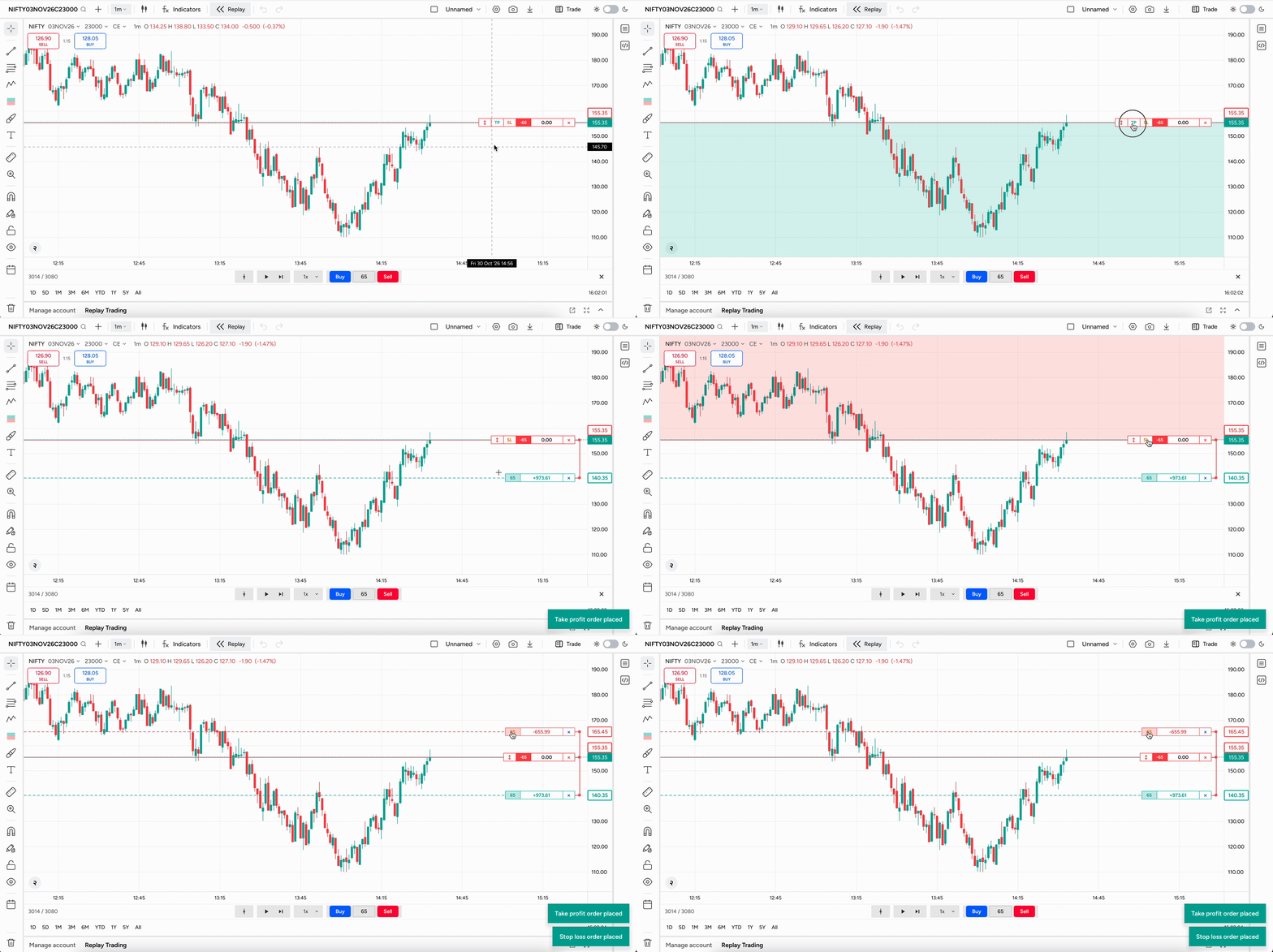
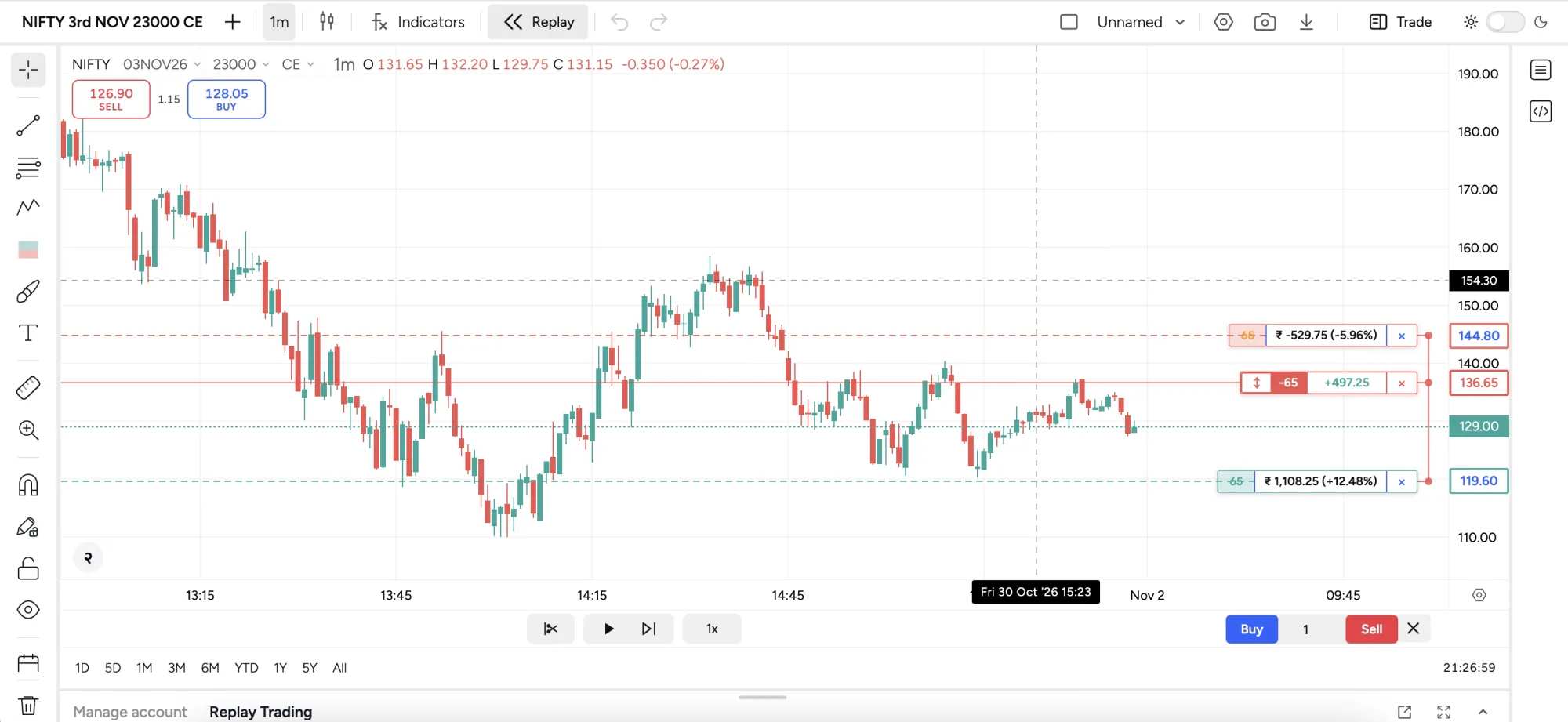
Place, drag-to-modify and exit orders right on the chart, with take-profit and stop-loss brackets, routed through your own broking APIs.
A strategy builder and backtesting engine, all on the chart.
The chart comes with a built-in strategy editor, unlimited backtesting and an optimisation engine. Choose your goal: reduce drawdown, improve net P&L, or find the right balance between both.
- Paste your code
- Instant backtest results
- Optimise for your goal
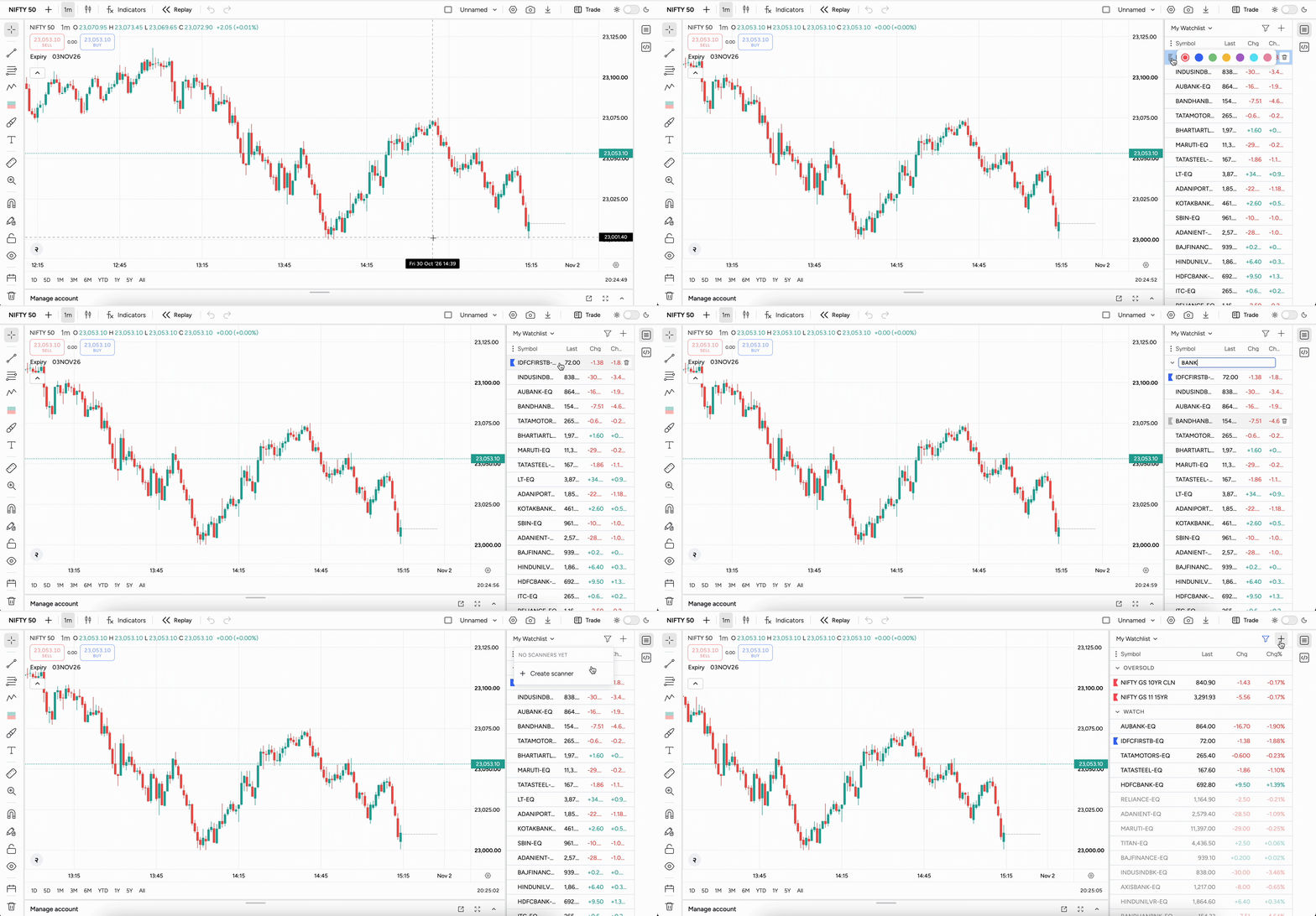
Watchlists that screen themselves
Organise symbols with flags and sections, and let InfiScript scanners automatically scan the market at intervals you choose to find trading opportunities.
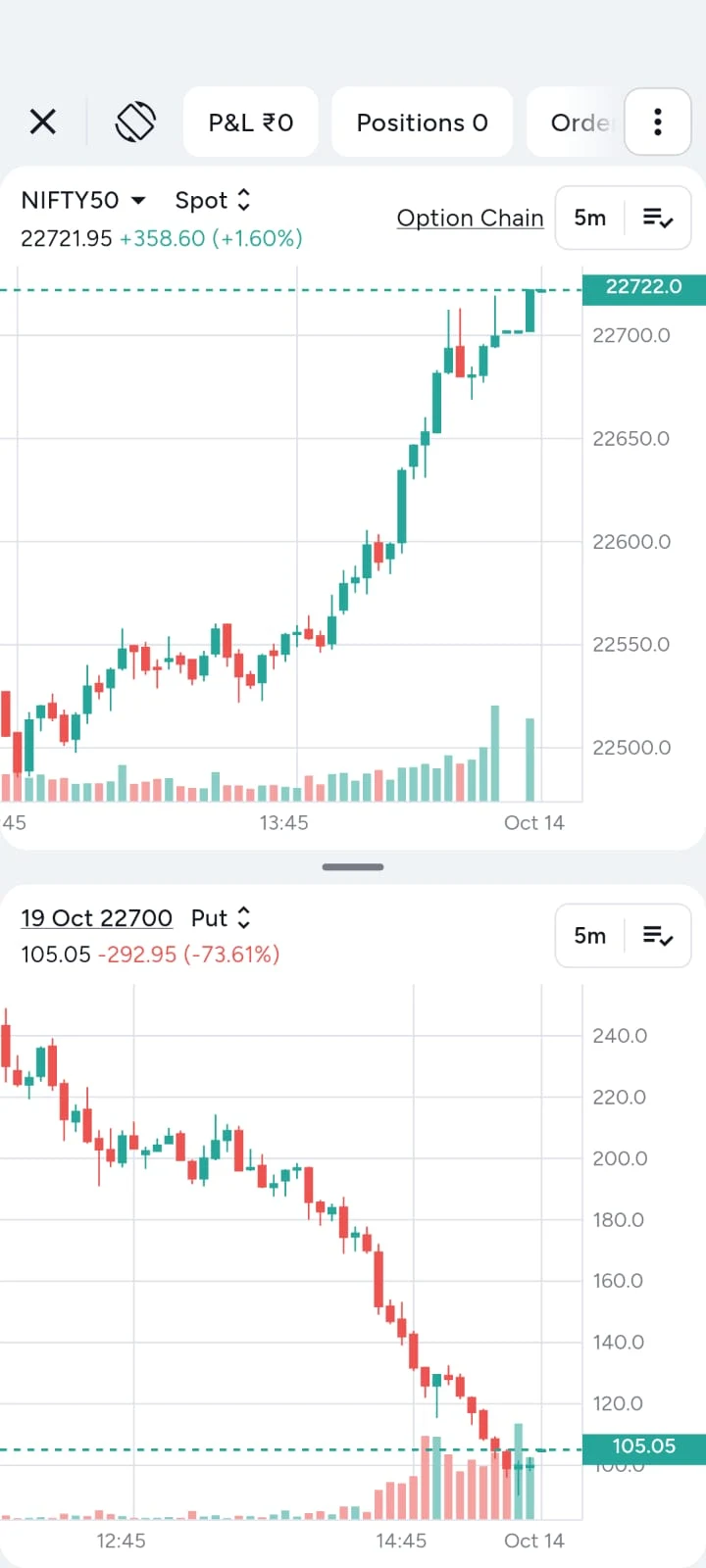
A Flutter charting SDK with desktop-grade charts
The same engine as a Flutter mobile SDK, with indicators, drawings and trading from the chart on iOS and Android, under your brand.
Every feature, for every platform
Brokers, fintech apps and advisory platforms all get the full chart. Pick a feature to see it.
Buy, sell, modify and exit right on the chart, with take-profit and stop-loss brackets.
Chartwo vs the TradingView charting library
Both run on your own data feed. The difference is what ships in the box, whose brand is on it, and how it runs on mobile.
| Chartwo | TradingView Advanced Charts | |
|---|---|---|
| Engine | WebAssembly; 5x faster load and response in our benchmarks | JavaScript library |
| Licence for business use | White-label licence | Commercial agreement with TradingView (only Lightweight Charts is free) |
| Your brand, no third-party watermark | Yes | By agreement with TradingView |
| Pine Script indicators and strategies | Yes, built-in transpiler (v1 to v6) | No (Pine Script isn't available in the library) |
| Strategy backtesting and optimisation | Built in, unlimited | No strategy tester |
| Trade from chart with TP/SL brackets | Built in | Trading Platform licence |
| Option prices and option trading from the underlying chart | Built in | Not included |
| Order flow footprint charts | Built in | Not included |
| Native mobile | Flutter SDK, iOS + Android | Web library, usually in a WebView |
| Native desktop | C++ SDK, no WebView or Electron | Not offered |
Based on TradingView's public documentation, November 2026; speed figure from Chartwo's own benchmarks. TradingView is a trademark of TradingView, Inc.; Chartwo is not affiliated with it.
Questions, answered
What teams ask about charting, custom strategies, backtesting and mobile before they embed Chartwo.
What is Chartwo?
Chartwo is a pro-grade charting platform that brokers, fintech apps and advisory platforms embed into their own web and mobile apps. Traders get advanced charts, custom indicators and strategies, backtesting and trading from the chart, all under your brand.
Is Chartwo a TradingView alternative for brokers?
Chartwo is built for teams looking for a faster, high-performance alternative to the TradingView charting library, one they can fully brand and integrate with their own data feeds and order routing. Traders get a smooth, responsive charting experience with indicators, drawings, scripting, backtesting and on-chart trading, all seamlessly built into your app.
Can traders write custom indicators and strategies?
Yes. Traders write indicators and strategies in InfiScript, or paste Pine Script from v1 to v6 and the built-in transpiler converts it to InfiScript. Scripts plot directly on the chart, and strategies backtest in the browser.
How does strategy backtesting work?
Strategies backtest right on the chart with no limit on runs. Every entry, exit and metric is marked on the chart, and the Optimise engine tunes parameters for less drawdown, more net P&L, or both.
Can traders place orders from the chart?
Yes. Traders buy, sell, modify and exit right on the chart, with draggable take-profit and stop-loss brackets. Orders route through your own broking APIs.
Does Chartwo support options and order flow charts?
Yes. Call and put prices can be shown at any strike on the underlying chart, and footprint charts show buy and sell volume and delta inside every candle.
Is there a mobile charting SDK?
Yes. The same chart engine ships as a Flutter SDK for iOS and Android from one codebase, with touch-first drawing tools, indicators and trading from the chart.
Can we use our own data feed and branding?
Yes. Chartwo runs on your market data feed and your order routing, and is styled to match your brand, so your traders never leave your platform.
Is the TradingView charting library free?
Only Lightweight Charts, TradingView's basic open-source library, is free. Advanced Charts and the Trading Platform are licensed to businesses by agreement with TradingView, and prices aren't published. Even with those, there is no Pine Script, no strategy backtesting and no option trading from the underlying chart. Chartwo is licensed as a white-label product with all of these built in.
Can we run Pine Script on our own trading platform?
Yes. Pine Script isn't available inside the TradingView charting library, but Chartwo has a built-in transpiler: traders paste their Pine indicators and strategies, from v1 to v6, and they run on your chart as InfiScript.
How fast is Chartwo?
Chartwo's chart data and indicators run in WebAssembly, scripts compute in background workers, and the chart draws on canvas. In our benchmarks, Chartwo charts load and respond 5x faster than other charting libraries.
Is the mobile SDK native or a WebView?
Native. The Chartwo mobile SDK is a Flutter package that renders the chart in your app, rather than loading a web chart inside a WebView, so gestures, drawing and order placement feel like the rest of your app.
What does integration involve?
You create one Widget and give it a broker object with thin adapters for your market data (history, symbols and live quotes) and, optionally, your order and account APIs. Then you set your theme, colours and fonts. The full API reference is at docs.chartwo.com.
What makes Chartwo one of the best charts for trading apps?
Get a complete, ready-to-deploy charting stack with charting, scripting, backtesting, options analytics, order flow, replay trading and on-chart trading, across web and mobile. Everything is ready to integrate, so your team doesn't have to build it from scratch.
Built by Infitout, from India to the world
Infitout Financial Technologies, incorporated in May 2023, builds products across trading, AI and financial infrastructure, including 1lyOptions, 1lyAlgos, ClnkAI and our flagship, Chartwo.
See Chartwo inside your platform.
A walkthrough of charts, strategies, backtesting and trading from the chart on your own instruments, and how it fits your web and Flutter apps.
sales@chartwo.com